 Soundpad
Help > FAQ >
Sound quality in Zoom
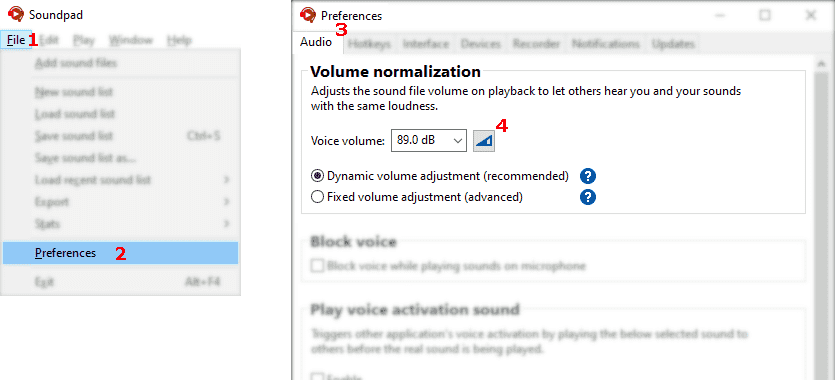

Let Soundpad measure your voice volume
- Archivo
1 > Preferencias2 > Audio3 - Click button
4 - Follow instructions in Soundpad
- Click stop button to finish measurement
- Apply the changes
- Open settings of Zoom > Audio
1 - Select Original sound for musicians
2 - Select High-fidelity music mode
3 and Stereo audio4 - Click on Test microphone
5 - Play a sound in Soundpad on the microphone only. You should hear it after a few seconds in Zoom.