 Soundpad
Help > FAQ >
Why is the sound recorder not recording?
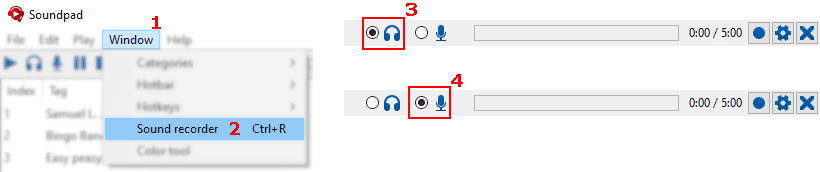

Select the correct device
- Open the sound recorder at Ventana
1 > Grabadora de sonido2 or with Ctrl+R - Select speakers
3 to record what you hear or - Select microphone
4 to record yourself
Select correct playback device
- Archivo
1 > Preferencias2 > Dispositivos3 - Select Predeterminado
4 or the headphones/speakers, that you are currently using