Help > FAQ > Sound quality in Read Dead Redemption 2
Show menu names in
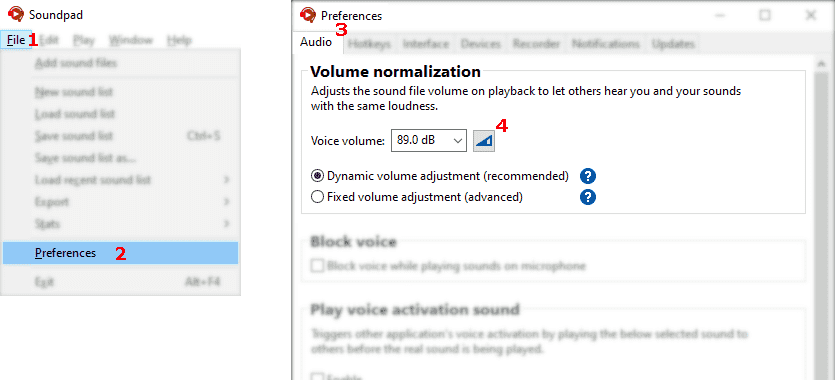
Screenshot showing the instructions
Let Soundpad measure your voice volume
  1. File1 > Preferences2 > Audio3
  2. Click button4
  3. Follow instructions in Soundpad
  4. Click stop button to finish measurement
  5. Apply the changes
The voice volume should be above 74 dB, otherwise certain voice applications may filter out played sounds misinterpreting them as background noise. If your measured voice volume is lower than 74 dB, it is recommended to increase the overall microphone volume in Windows.
Screenshot showing the instructions
  1. Press ESC > Settings > Audio
  2. Increase Microphone Volume1
  3. Increase Microphone Sensitivity2
Join an online session, then change the microphone sensitivity and you'll see the indicator3 top left.